
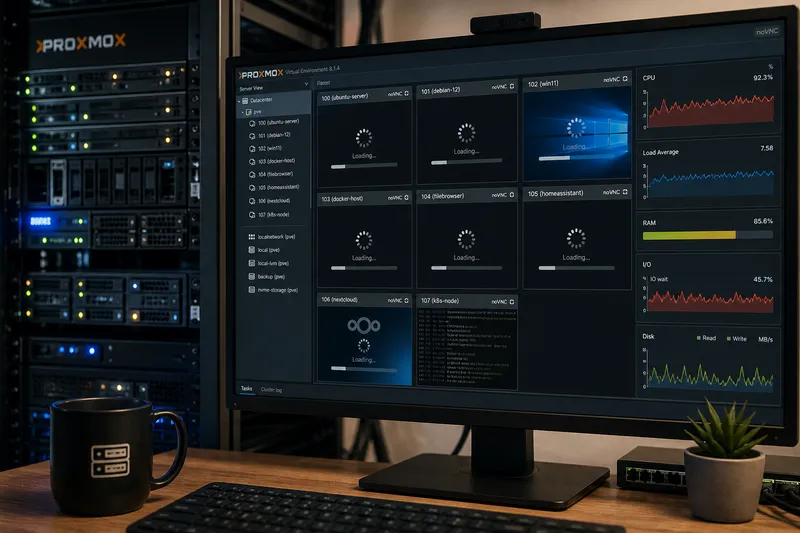
Everything was running smoothly. And suddenly, things feel sluggish. Virtual machines respond slowly, web interfaces take longer to load, and even simple commands feel delayed.
Many people assume that Proxmox itself is the problem. In reality, the cause is almost always somewhere else.
Why Proxmox is rarely the problem
Proxmox is highly efficient and introduces very little overhead. If your system becomes slow, it is usually due to limited resources – or how they are configured.
Typical bottlenecks include memory, storage, or suboptimal settings.
Memory and RAM
Insufficient RAM is one of the most common reasons for poor performance. When memory is exhausted, the system starts swapping – and that is significantly slower.
One option is to use ZRAM. It creates a compressed block in RAM to reduce or avoid swapping.
Proxmox offers memory BallooningBallooning dynamically adjusts the memory assigned to a virtual machine so multiple VMs can share RAM more flexibly.
More in the IT glossary ->, which allows virtual machines to dynamically adjust their RAM usage.
This can be useful if not all systems require peak memory at the same time. However, it should not be relied on as a primary solution.
Ballooning is not a substitute for having enough RAM – especially under constant load.
Storage – the most common bottleneck
In many cases, the issue is not CPU or RAM, but storage performance.
Traditional hard drives (HDDs) quickly become a bottleneck under multiple concurrent operations.
- HDD: slow with many small I/O operations
- SSD: significantly faster
- NVMe: ideal for virtualization
With multiple VMs, faster storage makes an immediate difference.
A common mistake is increasing CPU resources when the real bottleneck is storage.
CPU and configuration
CPU configuration can also affect performance.
In most cases, it is recommended to use the CPU type host. This allows the VM to fully utilize the capabilities of the physical CPU.
Machine type: Q35 vs i440fx
Proxmox provides different machine types, including i440fx and Q35.
i440fx is older and highly compatible, while Q35 is more modern and supports features like PCIe.
The direct performance difference is usually small. However, Q35 is generally the better choice for modern systems and hardware.
Too many VMs
Overprovisioning is another common issue.
If you run more virtual machines than your hardware can reasonably handle, they will compete for resources. This inevitably leads to performance degradation.
Typical symptoms
- Slow or unresponsive virtual machines
- Lagging SSH connections
- Delayed web interfaces
- High I/O wait values
These symptoms often point to storage or memory bottlenecks.
Quick wins
If you only check three things, start with these:
- Are you using SSD or NVMe instead of HDD?
- Is there enough RAM available?
- Is the CPU type set to host?
I come across these kinds of issues quite frequently in real-world environments. With Catarix IT, I help analyze, design, scale, and sustainably stabilize networks.
Conclusion
Proxmox itself is rarely slow.
In most cases, it simply exposes limitations in the underlying hardware or configuration.
Understanding the key factors makes it much easier to identify and fix performance issues.