
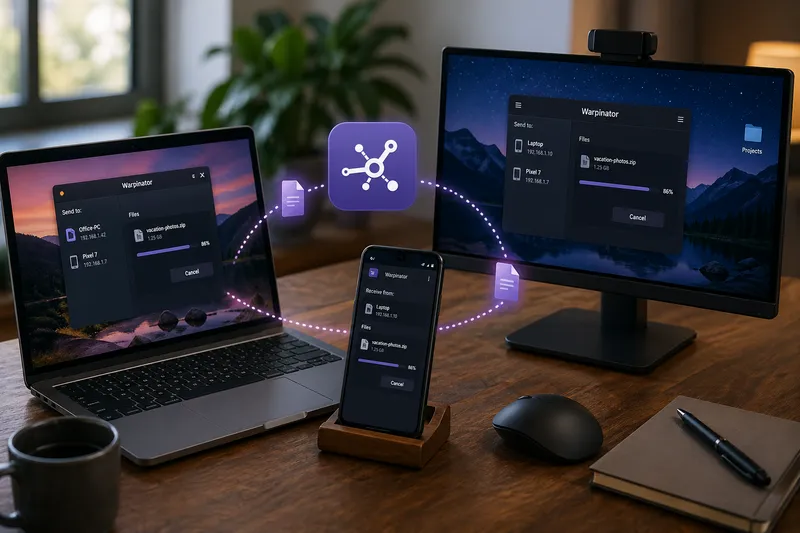
Warpinator is a simple tool for transferring files within a local network. No cloud, no USB stick, no complicated setup.
Once started, it automatically detects other devices on the same network – and you're ready to transfer files via drag and drop. Originally developed for Linux, especially within the Linux Mint ecosystem, Warpinator is now available across multiple platforms.
What is Warpinator?
Warpinator is essentially a lightweight file transfer service for your local network. You launch the application on two devices, they discover each other automatically, and you can then transfer files directly between them.
The key difference compared to cloud services: your data stays within your own network. No external provider is involved, no account is required, and the transfer happens directly between devices.
Advantages
- no internet connection required
- no cloud or external service
- no registration or user account
- direct file transfer within the local network
- easy to use
- cross-platform support
- open source
In everyday use, this is extremely convenient: select a file, choose the target device, confirm – done. For many typical tasks, Warpinator is much faster than going through cloud storage, messaging apps, or USB drives.
Which platforms support Warpinator?
Warpinator is not limited to Linux. There are now versions or compatible apps available for several platforms:
- Linux: Warpinator
- Windows: Winpinator
- Android: Warpinator
- iOS: Warpinator
On Windows, the compatible application is called Winpinator. The name is slightly different, but the goal is the same: simple file transfers within a local network.
Installation
Linux
On Linux Mint, Warpinator is usually available by default or even preinstalled. On Ubuntu or Debian-based systems, installation may vary depending on the package source.
sudo apt install warpinatorIf the package cannot be found, check your distribution’s package manager or the official project documentation.
Android
On Android, search for Warpinator in the Google Play Store and install the app.
Windows
On Windows, use Winpinator. Install it like any other application and start it afterward.
iOS
On iPhone and iPad, search for Warpinator in the Apple App Store.
Firewall and Ports
For Warpinator to discover devices and transfer files, certain ports must be accessible. By default, it uses:
- TCP 42000
- UDP 42000
In most home networks, this works out of the box. However, if a local firewall is active, these ports may need to be opened manually.
It is also important that all devices are in the same local network and are not separated by guest networks, client isolation, or VLAN rules.
The Group Code
An important aspect is the group code. Only devices using the same group code can see each other.
Important: The default value is often identical across installations. If you do not change it, other devices in the same network might be able to send or receive files from you. It is therefore recommended to set your own group code.
The default value is often: Warpinator
You can change this to something unique for your home network. The only requirement is that all your devices use the same code.
This is especially useful if you want to separate multiple groups or network segments. It also prevents unknown Warpinator instances in the same network from being visible to your devices.
Typical Use Cases
- transfer photos from your smartphone to your PC
- exchange files between Linux and Windows
- quickly copy downloads to another device
- move documents without using the cloud
- transfer large files within the local network
For me, Warpinator is one of those tools you don’t think about every day – but once you’ve used it, you really miss it when it’s not there. Especially when working across Linux systems, Windows machines, and smartphones, it provides a simple and effective solution.
If you intentionally exchange files locally, the next step is often to take control of your own data and notes as well.
Need support with topics like this? With Catarix IT, I help with analysis, optimization, and implementation – from Linux systems and networks to custom IT solutions.
Conclusion
Warpinator is not a large server project or a complex platform. It focuses on doing one thing well: transferring files quickly and directly within your local network.
No account, no cloud, no unnecessary detours. Just start it, select a device, and send your file.
For me, Warpinator is one of those small open-source tools that make everyday life noticeably easier.