
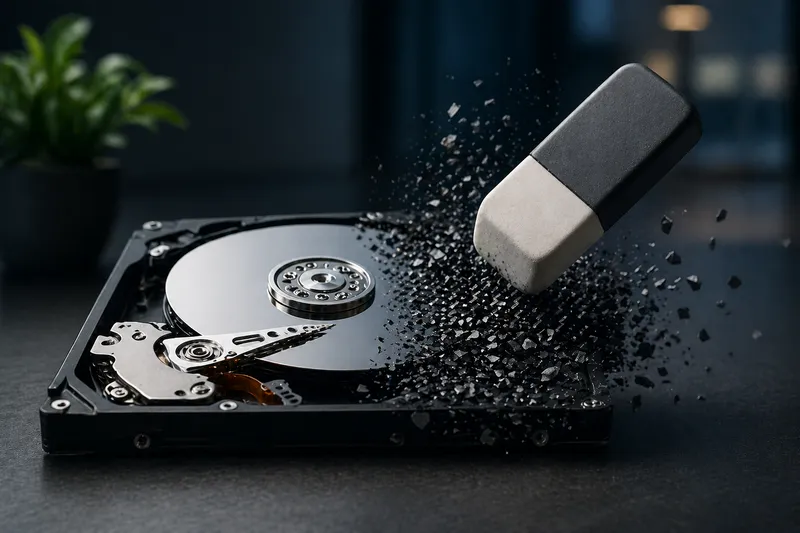
Sooner or later almost everyone faces the same question: what should I do with old hard disks, SSDs, USB drives or SD cards when I want to sell or dispose of them?
Simply formatting is not enough. Depending on the storage medium, data may still be recoverable. The decisive factor is therefore not the operating system, but the right method for the specific type of storage.
Why formatting is not enough
Formatting usually removes only file references. The actual data often remains and can be made visible again with tools.
HDD vs. SSD: the crucial difference
HDD
Classic hard disks store data magnetically. Targeted overwriting works reliably here.
SSD / Flash
SSDs, USB drives and SD cards use Wear LevelingWear leveling distributes writes evenly across an SSD so it lasts longer, but it also makes secure erasure more complex.
More in the IT glossary ->. Data is distributed internally,
so simple overwriting does not reliably reach all areas.
Securely erase HDDs: how many overwrite passes?
Old recommendations such as 7 or 35 passes are no longer necessary today.
- 1 pass → sufficient for private use
- 3 passes → conservative standard
- more → no practical added value
There is no fixed EU standard. In practice, 1 to 3 passes are considered secure.
Linux
sudo shred -v -n 3 /dev/sdXWindows
cipher /w:C:or tools such as DBAN or Active KillDisk.
macOS
diskutil secureErase 0 /dev/diskXWhat is Secure Erase?
Secure EraseSecure Erase is an erase command executed directly by the storage device, resetting all storage areas reliably.
More in the IT glossary -> is an ATA/NVMe command executed directly by the storage device controller.
It resets all memory cells internally.
- fast
- also erases hidden areas
- bypasses wear leveling
Linux
hdparm --user-master u --security-set-pass PASS /dev/sdX
hdparm --security-erase PASS /dev/sdX
NVMe:
nvme format /dev/nvme0n1Windows / macOS
The easiest way is usually through vendor tools:
- Samsung Magician
- Crucial Storage Executive
- WD Dashboard
- Intel SSD Toolbox
- Kingston SSD Manager
Alternatives to destruction (SSD)
SSDs are expensive, so physical destruction is often not desirable.
- use Secure Erase
- full-disk encryption (BitLocker, LUKS, FileVault)
- then delete the key → data becomes unusable
USB drives and SD cards
They behave like SSDs. Overwriting is only reliable to a limited degree.
Linux
sudo dd if=/dev/zero of=/dev/sdX bs=1M status=progressWindows
diskpart
select disk X
clean all
macOS
diskutil eraseDisk free none /dev/diskXWhen physical destruction makes sense
- defective storage media
- very sensitive data
- no trust in erasure
Methods
- HDD: drill through the platters
- SSD: destroy NAND chips
- professional: shredding
Business: professional data erasure
In business environments, erase certificates are often mandatory.
- Blancco
- Certus Software
- certified disposal providers
These provide traceable erasure reports and are GDPR-compliant.
Common mistakes
- only formatting
- handling SSDs incorrectly
- choosing the wrong device
If having full control over your data matters to you, it’s worth taking a look at tools like Joplin, which allow you to manage your data entirely on your own.
Data security doesn’t end with deletion. With Catarix IT, I help find secure and sustainable solutions.
Conclusion
Secure data erasure is not a question of one tool, but of the right method. If you distinguish between HDDs and SSDs, you can protect data reliably.